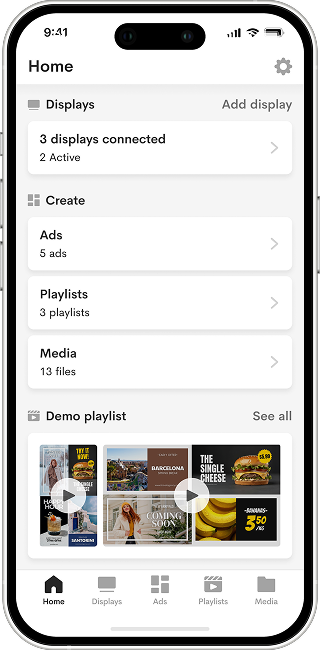
Digital Signage App for Small Businesses
Create ads from your phone and cast them to any Android TV or Fire TV. No USB. No computer. No complicated software.


30-day FREE trial. No credit card required. Full access to all features.
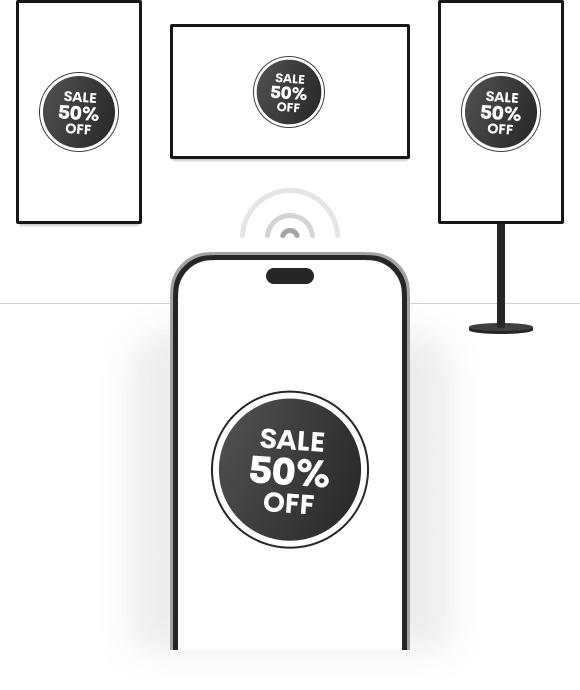
How AdCast Works?
Turn any TV into an ad screen in a few minutes

1. Connect Your Display
Install AdCast Player on your TV. Scan the QR code with your phone. Done.

2. Create Your Ad
Pick a template or start from scratch. Build your ad and add it to a playlist.

3. Cast Instantly
Push content to one or more screens. Works from anywhere.
Everything Your Business Needs
Explore AdCast’s features and capabilities

Easy Setup
Add one or more screens to your phone app. Just scan a QR code.

Ad Templates
Pick a ready-made template and build your ad in seconds.

Playlist Control
Drag items to reorder. Set how long each one plays.

Display Groups
Group screens across your shops. Push the same ad to all at once.

Drag & Drop Editor
Build layouts with a simple grid and built-in widgets.

Remote Casting
Cast content to any screen from your phone. No matter where you are.
Perfect for Your Business
Built for cafés, salons, gyms, bakeries, vet clinics, shops and more.
Cafes & Coffee Shops
Digital menus, daily specials, promotionsHair, Barbers & Beauty Salons
Show before/after, prices, stylist portfoliosBakeries, Restaurants & Coffee Shops
Fresh menu boards, limited-time pastriesGyms & Fitness Studios
Class schedules, trainer intros, member offersVet Clinics & Pet Stores
Service pricing, happy pet photos, remindersReal Estate Offices
Property listings, agent profiles, market updatesWaiting Rooms & Clinics
Health tips, appointment reminders, entertainmentRetail & Boutiques
New arrivals, flash sales, brand storyLobbies & Reception Areas
Welcome messages, company news, event infoAdCast vs Traditional Digital Signage
Traditional Solutions
Price per screen
✓ $12.99 (or $9.99 for 2 and more) / month
$19–$199/month
Need a computer?
✓ No
Yes
Need USB stick?
✓ No
Usually
Update from phone?
✓ Yes
Rarely
Setup time
✓ Under 3 minutes
Hours or days
Ease of use
✓ Like Instagram Stories
Complex
What Business Owners Say
Real reviews from real owners.
After XOGO eliminated their app, I set out looking for a better alternative, and I found it! AdCast has been super simple to setup and so far been reliable! I'm excited to finally have an easy in showroom advertising tool without having to buy new equipment!
Setup was unbelievably fast - scan QR code and the screen was ready. Perfect for anyone who wants digital signage without the complexity. AdCast gives us the flexibility to update promotions instantly from our phone.

Download AdCast
AdCast gives business owners full control of their screens. Create content, build playlists, and update displays — all from your phone. No PC needed. No USB. No learning curve.
Start with a 30-day free trial. No card needed. Your first display is $12.99/month, or $9.99 each when you add two or more screens.